22/10/2026 17:07
Parts Question or Workshop Visit? Telegram Topics for Cambodian Bicycle-Repair Shops

A bicycle shop’s Telegram group can become difficult to follow when tyre questions, cleaning advice and requests for workshop visits appear in the same conversation. Promotion can bring more attention to that confusion without helping anyone find an answer. For Cambodian repair businesses, a useful preparation step is to organize discussions around what customers need to do next. Telegram topics offer one way to separate those conversations. This guide uses a hypothetical Phnom Penh bicycle-repair shop to explain when topics help, how to design them, and how to test the route from a promotional post to a useful exchange. It also explains why SMM-panel activity must remain separate from evidence of enquiries or bookings.
1. Identify the conversation problem before adding topics
Start by reviewing the questions your shop actually receives. Look for conversations that interrupt one another: a customer identifying a replacement part, another asking about cleaning, and someone else checking when to bring a bicycle. The problem is not simply a busy screen. It is that an answer can lose its context when unrelated messages arrive between the question and the reply.
In the hypothetical shop, the owner repeatedly asks which photograph a customer means. That is a useful reason to consider topics. A quiet group with occasional questions may work perfectly well with clear replies and a short welcome message. Add structure only when it reduces a recurring difficulty; an elaborate menu creates another task for customers who already know little about bicycle parts.
2. Understand what Telegram topics provide
Telegram describes topics as separate conversations within a group, with their own shared media and notification settings. Its official announcement says administrators can enable them in Group Settings and control topic creation and management through permissions. These are organizational features: they help separate discussions by subject. See Telegram’s [official topics explanation](https://telegram.org/blog/topics-in-groups-collectible-usernames).
Choose the communication space before choosing its layout. Telegram distinguishes groups, which support discussion and collaboration, from channels, which broadcast messages to an audience. A shop that only wants to announce opening hours may need a channel rather than a discussion group. A shop inviting customers to ask questions needs someone available to respond. See the [Telegram FAQ on groups and channels](https://telegram.org/faq#q-what-39s-the-difference-between-groups-and-channels).
3. Build a small menu around customer intentions
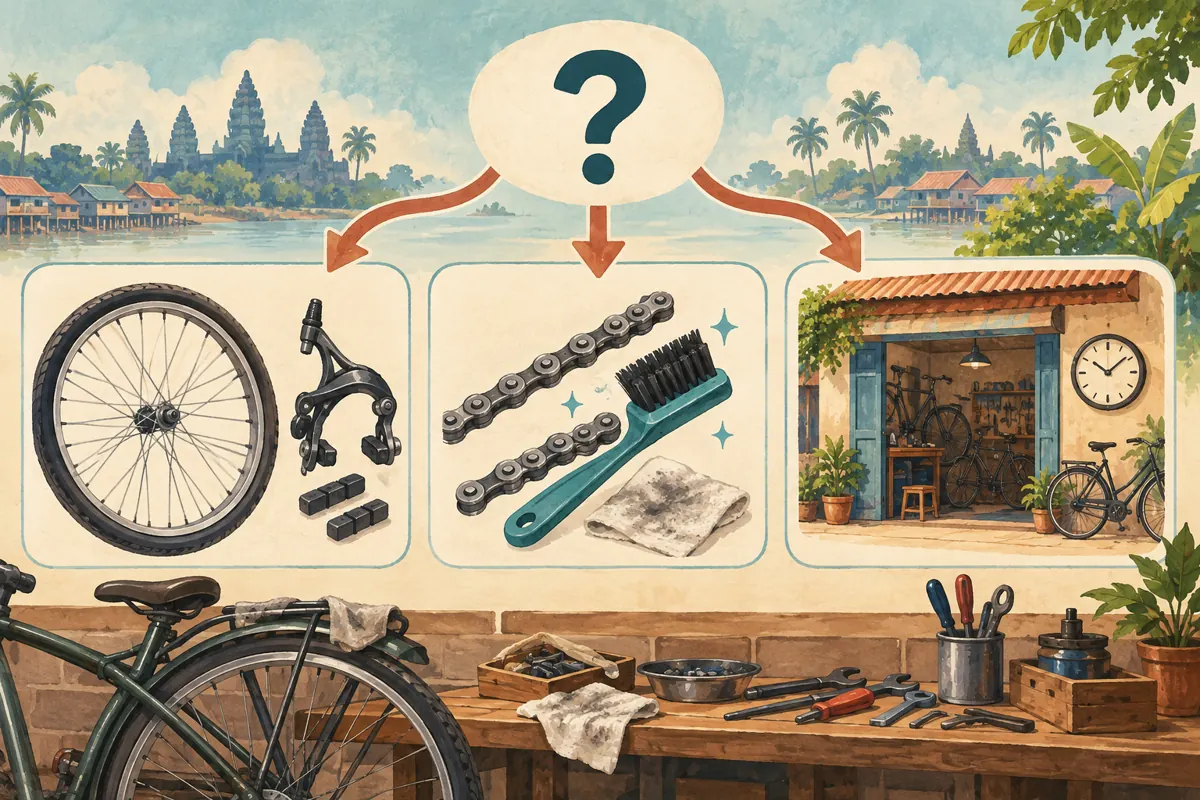
For the hypothetical shop, begin with three subjects: Parts Identification, Care Questions, and Visiting the Workshop. Parts Identification handles questions about the item shown in a photograph. Care Questions handles requests for general maintenance guidance. Visiting the Workshop explains the inspection process and how to contact staff about an appointment. These are proposed editorial labels, not prescribed Telegram settings.
Avoid creating a topic for every component on the shelves. Customers may not know whether a problem concerns the wheel, hub or drivetrain. A broader question-based category lets them explain what they can observe. Use the language your customers understand, with short Khmer labels where appropriate and genuine model markings preserved exactly. An icon can support recognition, but the name must remain understandable without it.
4. Give every topic a clear opening instruction
Write a short opening message explaining what belongs in each topic and what information helps staff respond. For Parts Identification, request an overall photograph, a close view of the relevant component, and any visible model marking. Ask customers to remove unrelated personal details from photographs. Explain that an image may help identify a part without establishing compatibility or confirming that a repair can be completed.
For Care Questions, ask what the customer wants to understand and what they have already tried. For Visiting the Workshop, describe the information needed before a visit and direct individual arrangements to the shop’s designated contact. Include one clearly labeled hypothetical question in each opening message. A concrete example teaches the category more effectively than a long list of exclusions.
5. Keep individual repair arrangements outside shared discussions
A topic called Bookings should not be treated as a private customer file. It remains part of the group’s discussion structure. Avoid asking people to post phone numbers, collection addresses, payment evidence or detailed schedules there. Instead, use the shared topic to explain the process and provide the shop’s verified contact route. Staff should request only the details needed for the individual arrangement.
In the hypothetical example, a customer asks whether the workshop can inspect a bicycle tomorrow. The public answer can explain that an inspection must be arranged with staff. The actual time and customer details belong in the individual conversation. Later, the owner may add a general explanation about inspections to the group, but should not copy the customer’s private exchange as promotional proof.
6. Assign responsibility for answering and redirecting
Decide who checks each topic during the shop’s working day. One person may handle everything in a small business, but the responsibility should still be explicit. A named backup prevents the group from becoming unattended when the usual responder is repairing bicycles. State a realistic response expectation in the welcome information rather than suggesting that every message receives immediate attention.
When someone posts in the wrong place, answer courteously and explain where that kind of question belongs. Avoid requiring the customer to repeat an entire story merely to satisfy the structure. Where a fresh post is useful, ask for a brief summary without personal details. Keep topic creation under deliberate management so that similar names do not multiply into confusing alternatives.
7. Test the route with a newcomer
Before promoting the group, ask a consenting colleague who did not design it to try three tasks: find where to ask about a replacement part, locate care guidance, and discover how to arrange a workshop visit. Let the person navigate without coaching. Note the point where they hesitate, the label they misunderstand, and whether they accidentally begin sharing information intended for staff alone.
Repeat the check on the phones your team normally uses. Record what the tester actually sees instead of assuming that the owner’s view represents every visitor’s experience. If the group is accessed through a link, test that exact link and the access steps it presents. A successful test ends with the person finding an appropriate next action, not merely opening Telegram.
8. Make the promotional promise match the destination
A post showing two similar bicycle components should invite a relevant question. For example, a hypothetical caption might explain that customers can share a clear component photograph in the Parts Identification discussion. It should also state that staff may need an in-person inspection before confirming suitability. This makes the invitation useful without promising a diagnosis from a photograph.
If the destination opens the whole group rather than the intended discussion, include a short instruction naming the topic to select. Do not announce a direct route until you have tested it. Keep the public offer equally clear: an invitation to ask a question does not reserve a part, approve a repair price or guarantee workshop capacity. Those decisions require an explicit staff response.

9. Review SMM services without confusing their purpose
The supplied public catalogue includes the exact service name Telegram 🔥 Reaction + 𝗙𝗿𝗲𝗲 𝗩𝗶𝗲𝘄. The name identifies a reaction-and-view offering, but its description is empty. That leaves important details unsupported, including whether it accepts the particular group message you intend to use. Do not assume that a service accepting a channel post will also accept a message inside a group topic.
Before considering an order, confirm the supported destination type, required input and applicable platform rules. If the listing does not answer a material question, obtain clarification or skip the service. Purchased engagement is not evidence of genuine interest, sales, advertising delivery or Cambodian users. It also cannot establish that a customer found the right topic. Useful content and a working response process remain necessary regardless of visible activity.
10. Evaluate whether the structure helps customers
Keep a simple review note based on observed conversations. Record whether questions arrived in an appropriate topic, whether staff needed to request missing context, and whether customers found the private contact route. Separate these observations from any panel order record. A reaction count answers a different question from a customer explicitly requesting an inspection.
Review the layout after enough genuine conversations have occurred to reveal patterns. If two topics attract the same kinds of questions, consider simplifying their names or combining their purpose. If a topic remains unused, investigate whether its label is unclear before assuming there is no demand. Describe conclusions modestly: the structure may have reduced repeated clarification, but a small set of conversations cannot prove increased sales.
11. Correct the mistakes that make topics harder to use
Common mistakes include creating many near-identical topics, using technical labels customers do not recognize, and leaving old opening instructions in place after the shop changes its process. Another is answering only the most visible conversation while assuming someone else is watching the quieter topics. Review the whole group during the assigned check, and make the next action explicit when a question remains unresolved.
Avoid making structural changes in the middle of an active promotion without checking its wording. A renamed topic can leave an otherwise accurate invitation confusing. Update the invitation and test the route again. When retiring an old instruction, provide a clear replacement explanation rather than assuming every returning customer has seen the change. Preserve useful general guidance while keeping individual customer records in the appropriate private workflow.

Frequently asked questions
Does a small Cambodian bicycle shop need Telegram topics?
Only if they solve an observed problem. If customers receive clear answers in one conversation, keep that simpler arrangement. Topics become useful when several recurring subjects interrupt one another or people struggle to find relevant guidance. Start with the smallest structure that addresses those difficulties, then review actual use.
Should every customer receive a separate topic?
That is usually a poor fit for a public shop community. It creates clutter and may encourage people to treat shared discussions as private repair records. Organize general questions by subject. Handle the customer’s contact details, agreed work and appointment arrangements through the shop’s designated individual communication process.
Can a reaction on a workshop post count as a booking?
No. A reaction does not specify the requested work, establish availability or show that the customer accepted an arrangement. Ask for an explicit request through the stated contact route, then have staff confirm the details. Purchased reactions provide even less basis for interpreting intent and should never enter a booking total.
What should staff do when a photograph does not identify the part?
Explain what is missing, such as an overall view or readable model marking, without pretending certainty. If photographs are insufficient, offer the shop’s inspection process. Keep the response focused on the next useful step. Avoid turning a tentative resemblance into a promise that a particular replacement will fit.
What if an SMM listing does not explain support for topic messages?
Treat compatibility as unknown. Ask which destination types and input formats are supported, using a public example only if appropriate. Do not provide account credentials or invent a link format to make an order fit. If the uncertainty remains, skip that service and continue improving the content and customer response workflow.
Explore the current service catalogue, create an account, or ask a specific question through support tickets.
- Telegram: Topics in Groups, Collectible Usernames, Voice-to-Text for Video Messages and More
- Telegram FAQ: What’s the difference between groups and channels?
Prepared with AI assistance. Illustrations explain the workflow and do not represent customer results.